 xixiNote
cuda install
在安装cuda之前我们需要知晓自己的驱动版本
我们可以直接进入win+r输入cmd进入命令提示符终端界面
并且输入以下命令
powershell
nvidia-sminvidia-smi如果没有问题我们可以看到当前的Driver驱动版本以及CUDA版本
- Driver版本:512.78
- CUDA版本:11.6
row
+-----------------------------------------------------------------------------+
| NVIDIA-SMI 510.73.01    Driver Version: 512.78       CUDA Version: 11.6     |
|-------------------------------+----------------------+----------------------+
| GPU  Name        Persistence-M| Bus-Id        Disp.A | Volatile Uncorr. ECC |
| Fan  Temp  Perf  Pwr:Usage/Cap|         Memory-Usage | GPU-Util  Compute M. |
|                               |                      |               MIG M. |
|===============================+======================+======================|
|   0  NVIDIA GeForce ...  On   | 00000000:01:00.0  On |                  N/A |
| N/A   54C    P5    19W /  N/A |   1138MiB /  6144MiB |     44%      Default |
|                               |                      |                  N/A |
+-------------------------------+----------------------+----------------------+

+-----------------------------------------------------------------------------+
| Processes:                                                                  |
|  GPU   GI   CI        PID   Type   Process name                  GPU Memory |
|        ID   ID                                                   Usage      |
|=============================================================================|
|  No running processes found                                                 |
+-----------------------------------------------------------------------------+
+-----------------------------------------------------------------------------+
| NVIDIA-SMI 510.73.01 Driver Version: 512.78 CUDA Version: 11.6 |
|-------------------------------+----------------------+----------------------+
| GPU Name Persistence-M| Bus-Id Disp.A | Volatile Uncorr. ECC |
| Fan Temp Perf Pwr:Usage/Cap| Memory-Usage | GPU-Util Compute M. |
| | | MIG M. |
|===============================+======================+======================|
| 0 NVIDIA GeForce ... On | 00000000:01:00.0 On | N/A |
| N/A 54C P5 19W / N/A | 1138MiB / 6144MiB | 44% Default |
| | | N/A |
+-------------------------------+----------------------+----------------------+
+-----------------------------------------------------------------------------+
| Processes: |
| GPU GI CI PID Type Process name GPU Memory |
| ID ID Usage |
|=============================================================================|
| No running processes found |
+-----------------------------------------------------------------------------+WARNING
在使用nvidia-smi命令时可能会出现一些问题,下面是个别例子如:
- Failed to initialize NVML: Unknown Error
- 未找到此命令
对于第二种情况我们可以使用添加环境变量方式解决,只需要将C:\Program Files\NVIDIA Corporation\Installer2目录添加到环境变量中即可
对于第一种情况,我们可以使用原始的查找方式,即打开NVIDIA控制面板查看,找到左下角系统信息
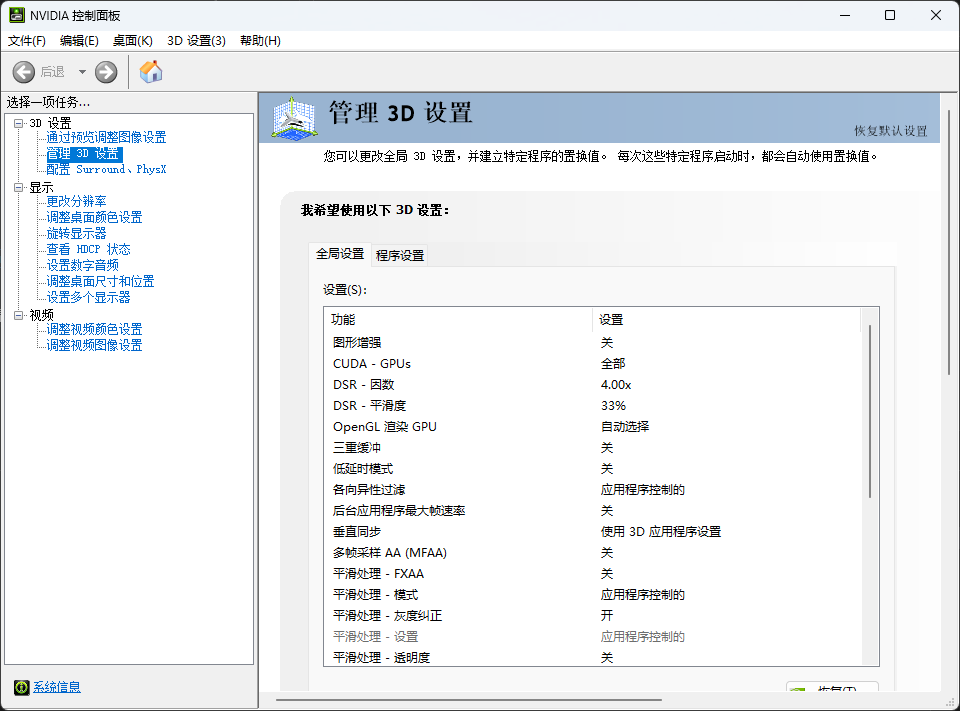
在组件中即可查看到相关信息:
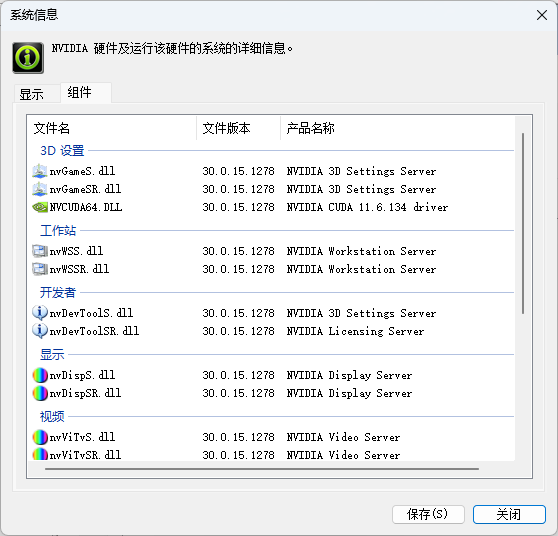
若无相关问题可跳过上述步骤,直接进行下方操作
我们拿到驱动版本和CUDA版本后,我们可以在NVIDIA开发者官网下载对应CUDA
- 我们进入开发者网址后点击Downloads

- 找到cuda-toolkits
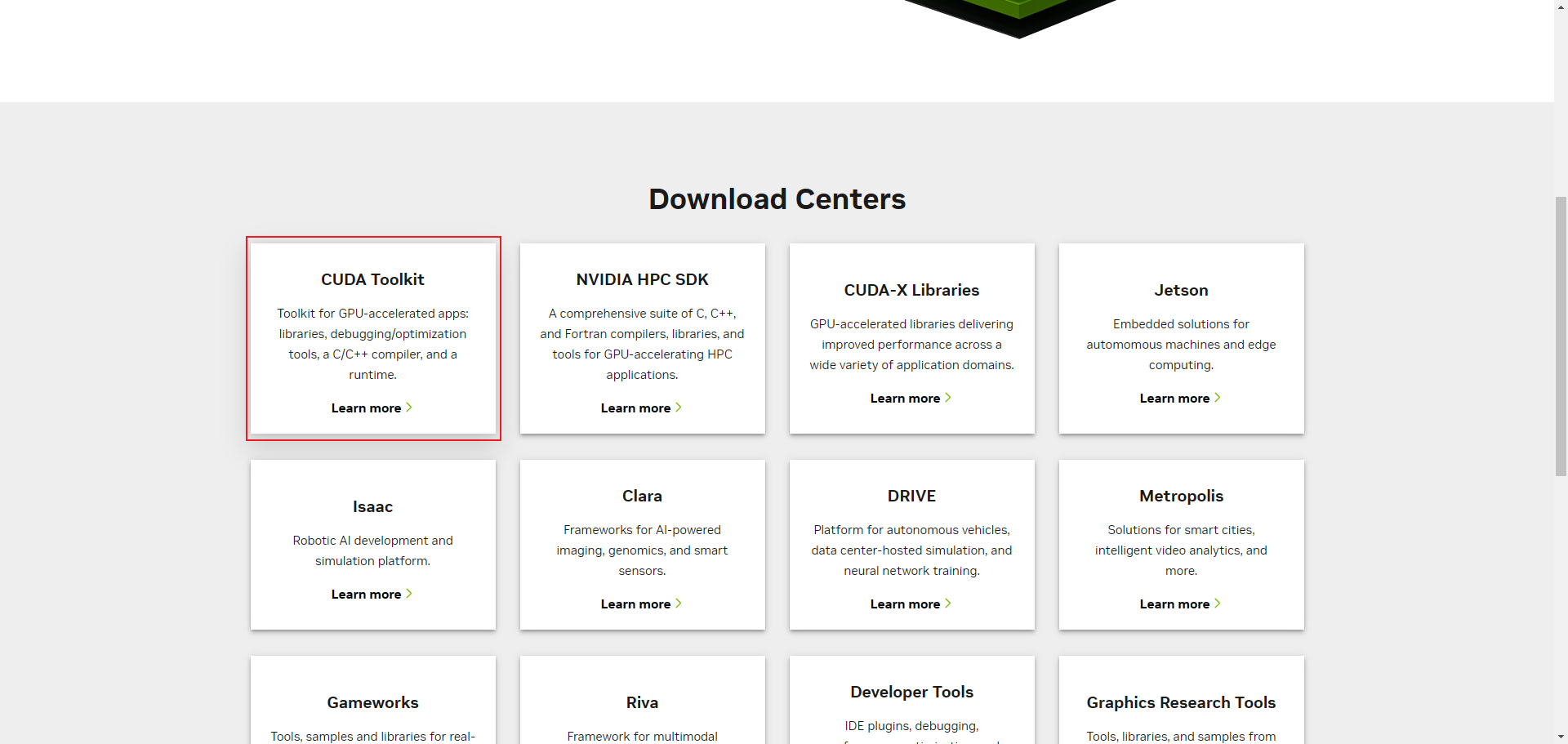
- 在这里你可以寻找对应的cuda下载
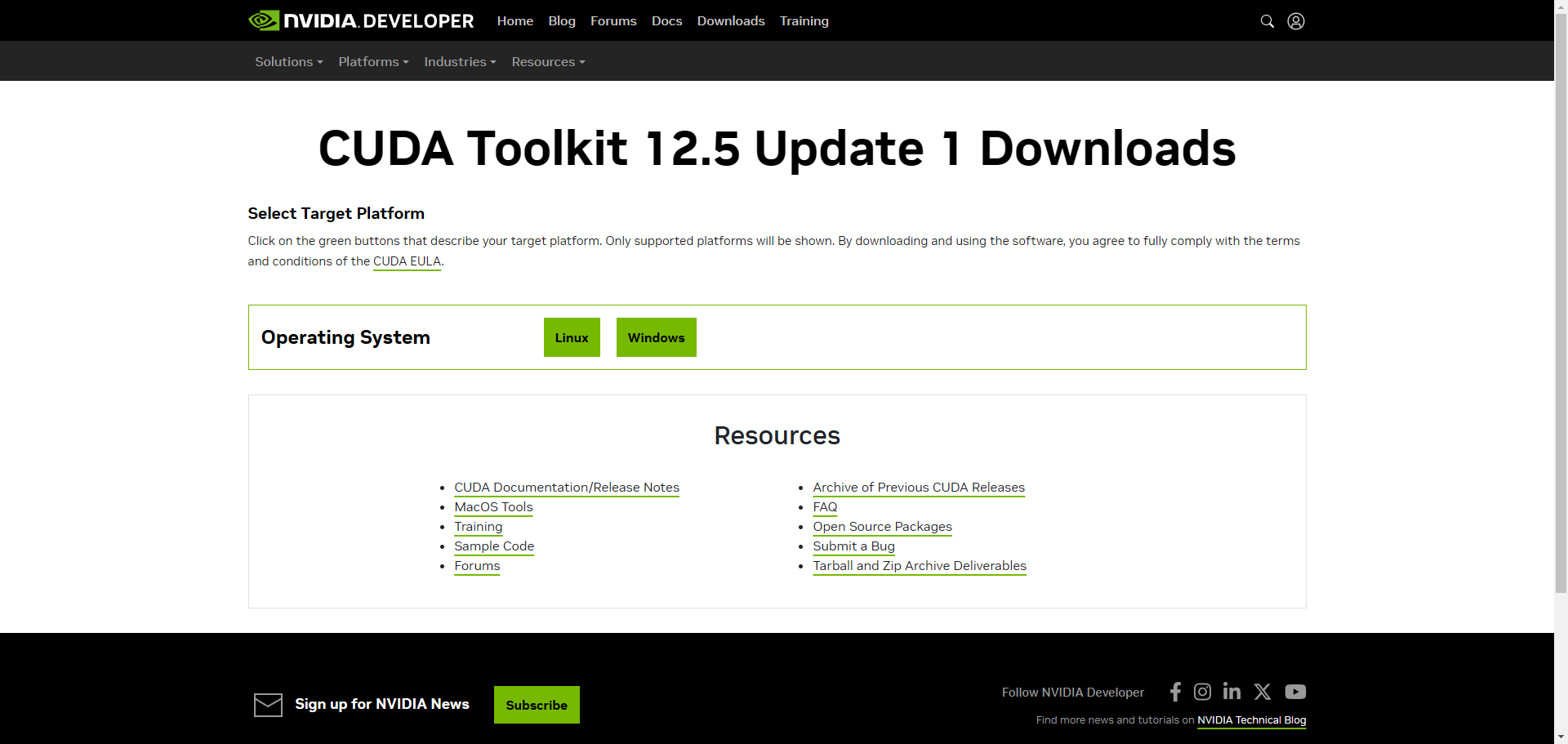
TIP
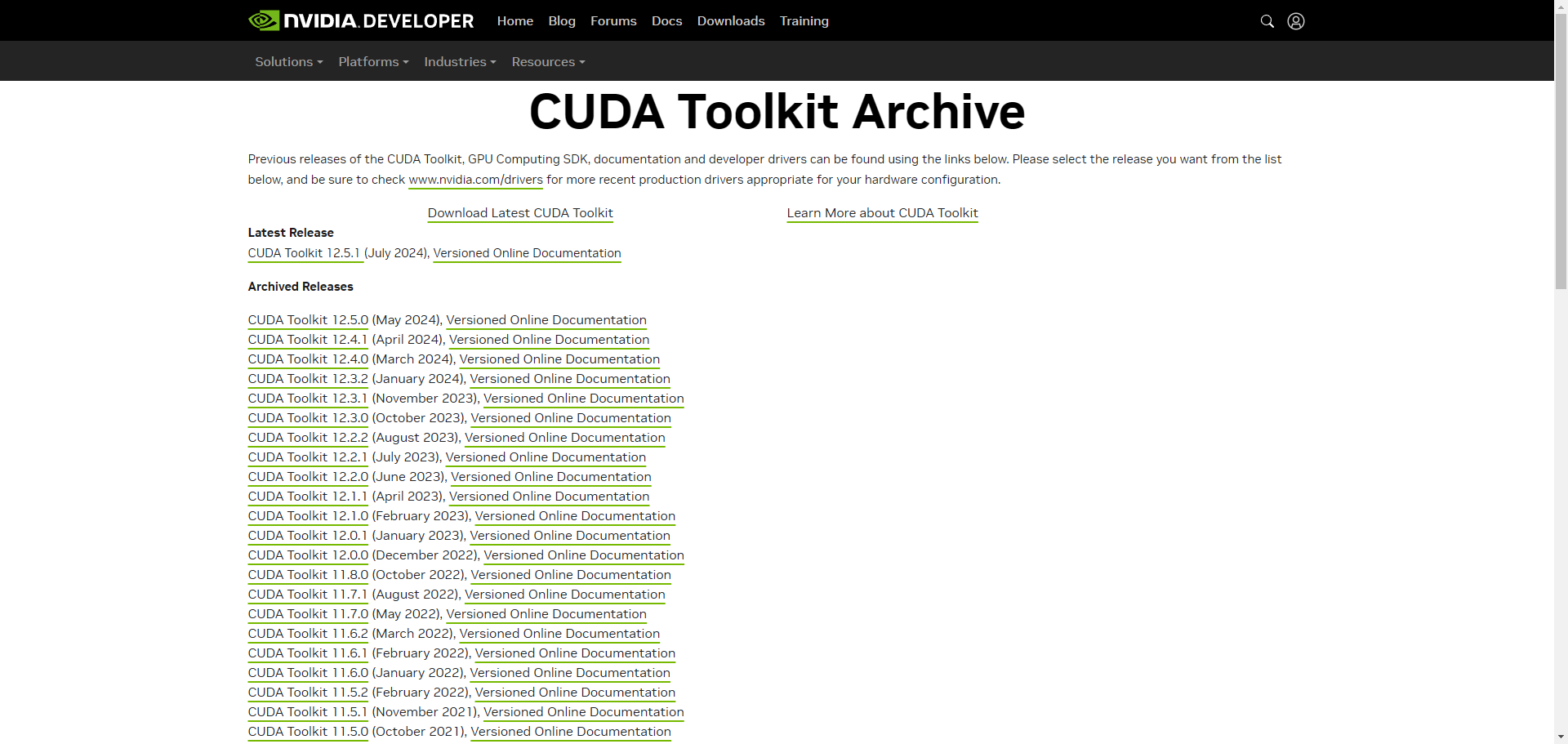
如果当前页面的cuda版本不适配你的显卡,则点击下方的[Archive of Previous CUDA Releases]
选择适配的cuda安装即可
我这里因为支持的cuda版本为11.6,所以选择11.6
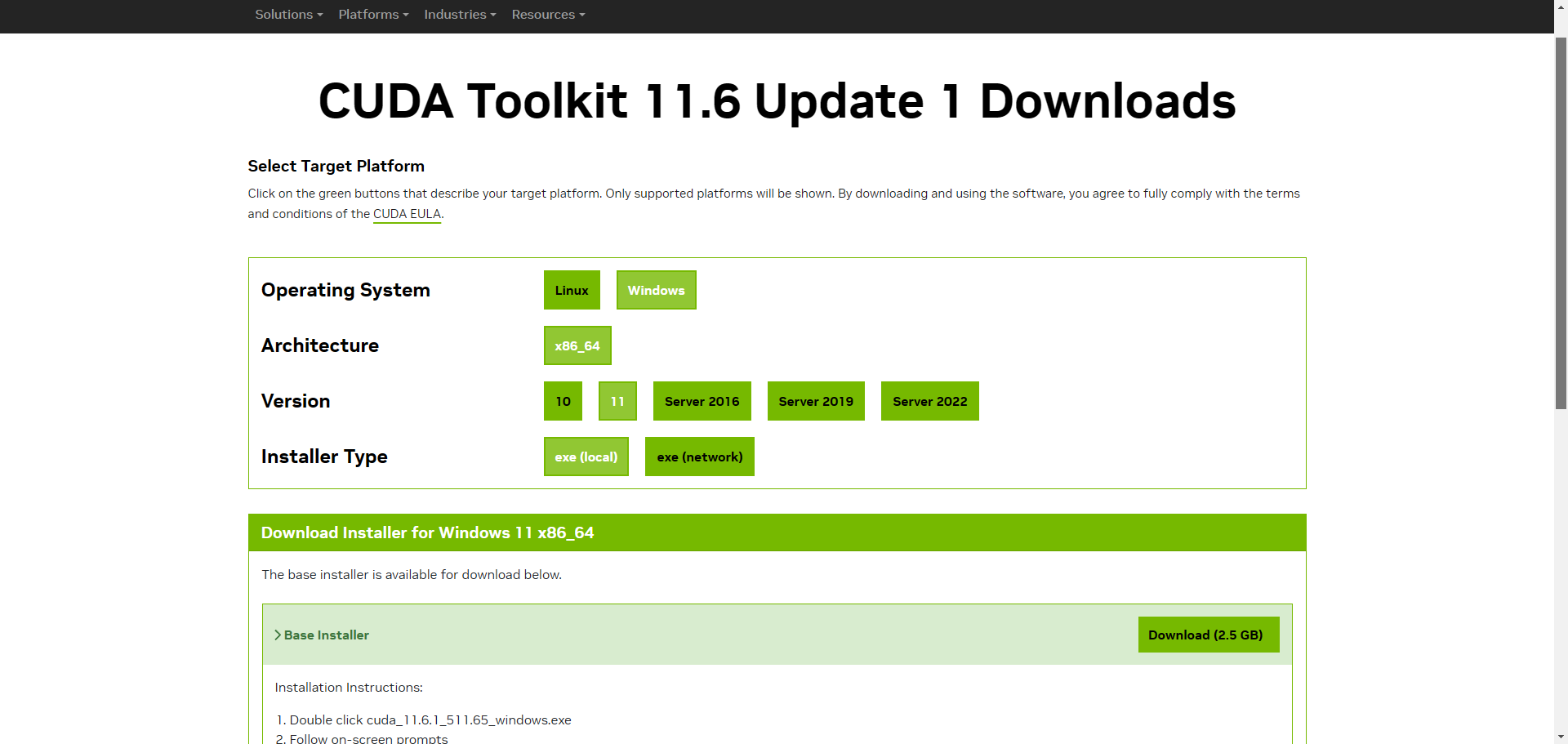
接下来根据自身情况选择cuda进行下载即可,推荐下载local版
若是linux在选择框下方有对应的安装方法
接下来我们来验证一下cudnn是否安装成功
WARNING
这里如果提示nvcc不存在的话,确认是否配置了环境变量
linux请自行配置,windows在安装时已经自动配置完毕了
在命令行中输入nvcc -V
powershell
nvcc -Vnvcc -V输出内容,我们可以看到cuda版本为11.6
row
nvcc: NVIDIA (R) Cuda compiler driver
Copyright (c) 2005-2022 NVIDIA Corporation
Built on Thu_Feb_10_19:03:51_Pacific_Standard_Time_2022
Cuda compilation tools, release 11.6, V11.6.112
Build cuda_11.6.r11.6/compiler.30978841_0
nvcc: NVIDIA (R) Cuda compiler driver
Copyright (c) 2005-2022 NVIDIA Corporation
Built on Thu_Feb_10_19:03:51_Pacific_Standard_Time_2022
Cuda compilation tools, release 11.6, V11.6.112
Build cuda_11.6.r11.6/compiler.30978841_0